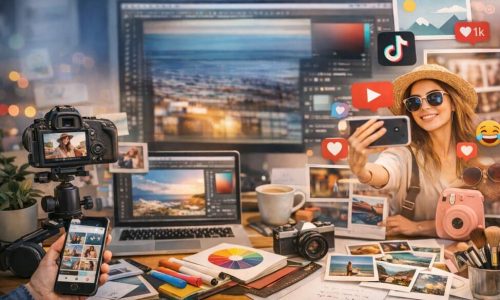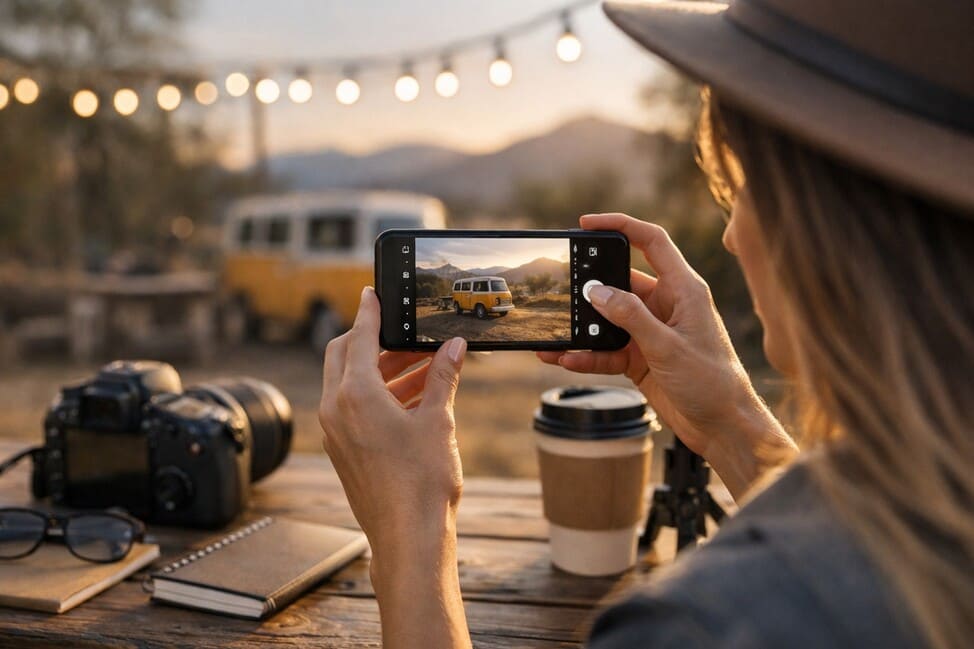
Photography has evolved. What once required bulky cameras and complex techniques now fits in your pocket. Mobile photography has become an accessible, powerful, and essential art for anyone living a connected life and seeking to express themselves through images. More than just capturing moments, mastering this skill opens doors to the visual universe of digital lifestyle — whether to fuel a creative profile, boost a personal brand, or simply record the world with a unique perspective.
This guide is for those who want to go beyond casual snapshots and turn their phone into a professional tool for visual creation. We’ll explore techniques, practical tips, composition tricks, and even editing guidance — all in depth, yet without complication.
The Importance of Mobile Photography in Today’s Digital World
We live in an era where the image is king. Whether on social media, blogs, or portfolios, a good photo speaks for you before any caption does. Mobile photography has gained prestige not only for its convenience but also for the technological advances that have put smartphones on par with professional cameras in many aspects.
Influencers, content creators, designers, and digital entrepreneurs rely on their phones as their primary creative tool. That’s because it’s fast, lightweight, and powerful — capable of capturing and editing with surprising quality and speed.
Moreover, accessibility has transformed the phone into an extension of anyone’s creativity. There’s no longer a need to invest thousands in heavy equipment to achieve visually impressive results. Mobile photography has democratized the art of visual storytelling.
Understanding Your Phone Camera’s Features
Before snapping away, it’s essential to understand what your phone’s camera can do. Each smartphone has its own features. Here are some elements to explore:
Resolution and Megapixels
More megapixels don’t always mean better quality. What truly matters is the combination of sensor, lens, and image processing software. Still, understanding resolution helps you know how much you can crop or edit without losing quality.
Photography Modes
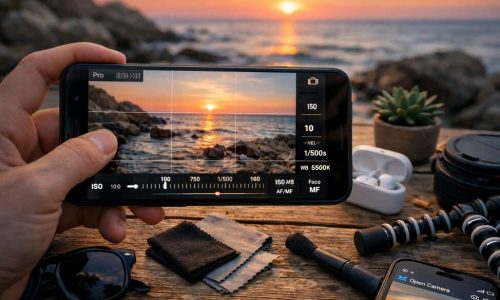
Most modern smartphones offer various modes like portrait, night, panorama, and pro. The manual (or Pro) mode lets you adjust ISO, white balance, shutter speed, and focus — perfect for those wanting more creative control.
Wide-Angle Lens and Optical Zoom
Phones with multiple lenses offer more versatility. The wide-angle lens is ideal for landscapes and indoor shots, while optical zoom helps you get closer without losing sharpness.
Optical Image Stabilization
Often underrated, this feature makes a huge difference in low-light photos or when filming on the move. If your phone has it, make the most of it to avoid blurry or shaky shots.
Lighting: The Element That Transforms the Image
Light is everything in photography. Learning to see and control light completely changes your photo outcomes. Here are some fundamental tips:
Make the Most of Natural Light
Shoot during the day, especially in the “golden hour” (right after sunrise and just before sunset), for soft tones and beautiful shadows. Avoid midday light, which creates harsh shadows and excessive contrast.
Be Careful with Artificial Light
Indoor lights can cast yellow or green hues. Whenever possible, place the subject near a window or use white, diffused lights to balance the environment.
Get to Know HDR
HDR (High Dynamic Range) combines multiple exposures into one photo, capturing details in both bright and dark areas. It’s great for scenes with a wide range of lighting.
Use DIY Reflectors
White objects like paper, cardboard, or even mirrors can reflect light and soften shadows in portraits. This simple trick is easy to apply and very effective.
Composition: How to Create Standout Photos
Composing an image is more than centering a subject — it’s about telling a story visually. Here are some powerful techniques:
Rule of Thirds
Turn on the grid on your phone. Imagine the image divided into nine equal parts. Positioning the main subject at one of the intersection points creates a more balanced and pleasing photo.
Lines and Symmetry
Lines guide the viewer’s eye. Use roads, fences, walls, or shadows to lead attention. Symmetry also works well — especially in architecture or reflection shots.
Negative Space
Give your subject room to breathe by including empty areas (like sky, walls, or ground). It helps highlight your theme and gives a modern aesthetic feel.
Colors and Contrast
Play with color palettes. Complementary colors create impact, while similar tones create softness. Colors can also guide emotions or focus the viewer’s attention.
Depth of Field
Even on phones, depth can be simulated. Use foreground or background elements to create layers and visual interest.
Step-by-Step: How to Take Professional Photos with Your Phone
- Clean the Lens – It sounds obvious, but it’s often overlooked. A dirty lens ruins sharpness.
- Manually Set Focus – Tap the screen to focus on your main subject. This ensures the image highlights what you want.
- Control Exposure – After focusing, slide your finger up or down to adjust brightness. This avoids overly dark or blown-out images.
- Use Portrait Mode Wisely – Great for blurring backgrounds and highlighting subjects, but can fail on edges. Try different angles.
- Avoid Digital Zoom – Move closer instead. Digital zoom reduces image quality.
- Explore Pro Mode – Slowly learn to adjust ISO, shutter speed, and focus manually. You’ll understand how each setting affects the shot.
- Take Multiple Versions – Small changes in angle, lighting, or focus can lead to vastly different results. Choose the best afterward.
- Don’t Rush the Shot – Observe the scene, think about composition, breathe, and click. A great photo is intentional.
Editing: The Final Touch for Impactful Photos
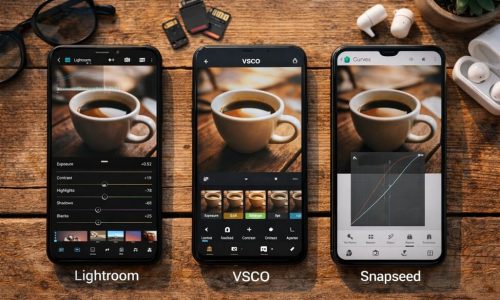
Editing isn’t cheating — it’s enhancing. Post-production refines what the camera captured. With the right apps, your phone can handle it masterfully.
Recommended Apps
- Lightroom Mobile – Great for adjusting light, contrast, color, and sharpness with precision.
- Snapseed – Intuitive and complete, perfect for beginners.
- VSCO – Focused on stylish filters and creative editing.
- Photoshop Express – Good for quick touch-ups and minor fixes.
What to Edit?
- Exposure and Contrast – Fix underexposed or overly bright photos.
- Color Temperature – Adjust for warmer (yellowish) or cooler (bluish) tones.
- Highlights and Shadows – Recover lost details in bright or dark areas.
- Sharpness – Adds texture and clarity, but use sparingly.
- Local Adjustments – Tools like brushes and masks let you edit specific areas, like brightening faces or darkening backgrounds.
Mobile Photography in Practice: Where and How to Train
You don’t need to travel to take great photos. Daily practice makes the difference.
- Shoot at home: objects, plants, or decor details.
- Create theme series: one object a day, specific colors, geometric shapes.
- Explore your neighborhood: walls, shadows, doors, facades, and everyday scenes.
- Join photo challenges: social media and forums offer weekly themes to spark creativity.
- Recreate photos you admire: this helps develop your sense of light, angles, and editing.
How to Build Your Visual Identity with a Phone
Professional photography is also about style. Over time, you’ll develop a visual signature — that “something” that makes your photos recognizable.
- Pick a color palette – Dominant tones help create consistency.
- Use angles you’ve mastered – Discover whether your strength is flat lays, close-ups, or symmetry.
- Create a custom editing style – Save presets that match your aesthetic.
- Include personal elements – A recurring object, pose, or background can add intentional identity.
A New Perspective Through Your Phone’s Lens
Turning your phone into a professional camera is more than just technique — it’s about awakening a new way of seeing the world. Every corner, ray of light, shadow, or detail can become the next powerful image in your portfolio. The most important thing is to practice with intention, learn with each shot, and embrace experimentation.
Mobile photography is not a lesser version of photography — it’s a unique, authentic, and ever-evolving language. By applying these tips and consistently training your eye, you don’t just improve your photos — you expand how you see and document life.