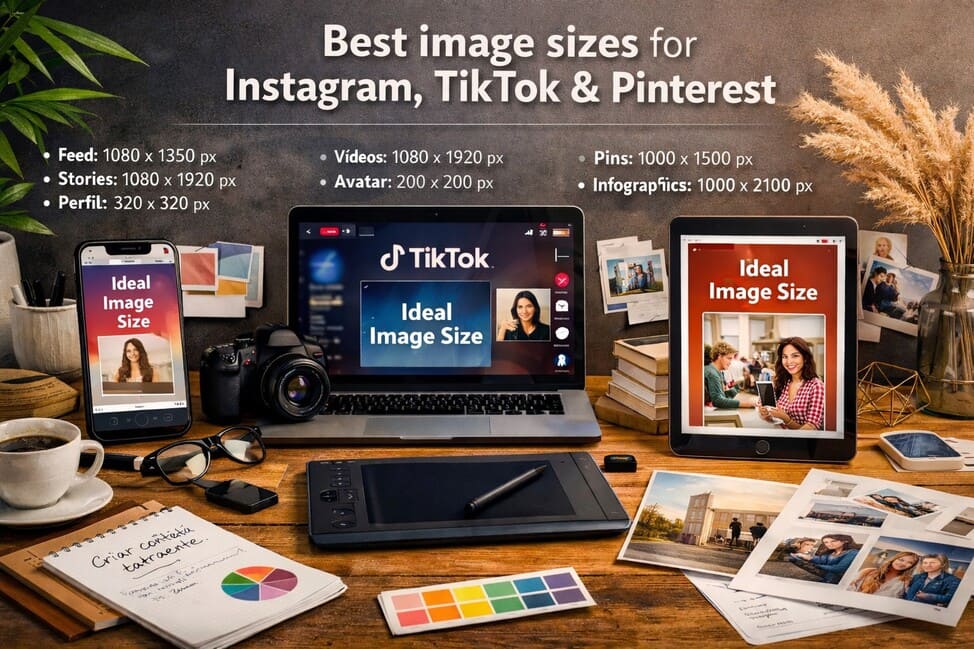
In the fast-paced world of social media, where visuals speak louder than a thousand words, knowing the ideal image size for each platform is a crucial skill — especially for those who live off content creation or want to strengthen their personal brand. An incorrectly sized image may be cropped, distorted, or simply ignored. Meanwhile, a perfectly formatted one attracts attention, generates engagement, and communicates professionalism.
Within the digital culture and visual lifestyle universe, understanding how each platform handles images goes far beyond aesthetics. It’s about strategy. Each platform has its own behavior, audience, and way of navigating content. What works well on an Instagram feed may be irrelevant on Pinterest boards or distorted in TikTok videos. That’s why knowing the right image dimensions for each context is essential to maintaining visual consistency and strong content performance.
Let’s dive deep into the most effective formats for these three major platforms. Get ready to learn the technical and strategic details that will elevate your visual presence online.
Why you should care about the ideal image size
First impressions matter — and on social media, that impression comes through visuals. A properly sized image respects platform standards, loads faster, adapts better to different screens, and avoids unwanted cropping. In addition, platforms like Instagram, TikTok, and Pinterest prioritize optimized content in their algorithms, directly influencing visibility and reach.
Neglecting the ideal image size can result in:
- Low engagement
- Visual inconsistency in your brand
- Loss of important image information
- Reduced quality on mobile devices
- Lack of aesthetic consistency in your feed or profile
In today’s competitive environment, where user attention spans are short, small details make a big difference. Adjusting the size of your image is not just a technical detail — it’s a strategic choice with a direct impact on your results.
Ideal image size for Instagram
Instagram is undoubtedly one of the most visual social networks today. The platform offers different post formats, and each requires specific attention when creating and exporting images.
Feed (Standard Posts)
- Square (1:1)
- Ideal image size: 1080 x 1080 px
- This is the classic Instagram format and still widely used.
- Offers good display on both mobile and desktop devices.
- Portrait (Vertical – 4:5)
- Ideal image size: 1080 x 1350 px
- This format makes the most of screen space on the feed.
- Perfect for standing out by taking up more vertical space.
- Landscape (Horizontal – 1.91:1)
- Ideal image size: 1080 x 566 px
- Less commonly used but good for wide or panoramic shots.
Stories
- Ideal image size: 1080 x 1920 px (aspect ratio 9:16)
- Stories take up the entire phone screen. Avoid placing text or essential elements near the edges, as they may be cropped depending on the smartphone model.
Reels and Videos
- Ideal image size (cover): 1080 x 1920 px
- The cover image should be carefully designed, as it’s shown in your profile feed and can be cropped differently depending on where it’s displayed.
Profile Picture
- Ideal image size: 320 x 320 px
- Instagram displays this as a circle, so keep the main element centered.
Story Highlights
- Ideal image size: 200 x 200 px
- Though small, story highlight covers help organize your profile visually and reinforce your visual identity.
Extra tips for Instagram
- Use JPG for feed posts and PNG for images with transparency (e.g., stickers, overlays).
- Always keep a safe margin on image edges.
- Use strong contrasts and good color combinations to stand out.
- The algorithm favors high-quality images that keep users’ attention longer.
Ideal image size for TikTok
Though TikTok is video-focused, its visual elements aren’t limited to motion. Presentation, thumbnails, graphic elements, and cover images play an important role in attracting views and clicks.
Videos
- Ideal video size (preview image): 1080 x 1920 px
- The 9:16 aspect ratio is required for a full-screen vertical experience.
- Videos outside this ratio may be resized poorly or show black bars.
Cover Image
- Ideal image size: 1080 x 1920 px
- Use a clear, attractive image with short text (if needed) to give context to the video.
- Avoid placing elements in the bottom-right corner, as this is where TikTok’s interface buttons appear.
Profile Picture
- Ideal size: 200 x 200 px
- Displayed in a circle, so avoid borders or text near the edges.
Visual elements that boost TikTok performance
- Readable typography: Great for tutorials or fast-paced videos.
- Bright, vibrant colors: Help capture attention in the first few seconds.
- Customized thumbnails: Make it easier to highlight the theme of the video before playback.
On TikTok, the first seconds are crucial. Designing your thumbnail and video elements with care is key to standing out in the endless scroll.
Ideal image size for Pinterest
Pinterest works as a visual search engine, so the right image size is even more crucial. Unlike other social platforms, here design is the main success factor.
Standard Pin
- Ideal image size: 1000 x 1500 px (aspect ratio 2:3)
- This is the recommended format and performs best in the Pinterest feed.
Long Pins (infographics, tutorials, recipes)
- Ideal image size: 1000 x up to 2100 px
- Pins that are too long may be automatically cropped, so don’t exceed this height.
Board Cover Image
- Ideal image size: 600 x 600 px
- Can be used to visually unify the look of your boards.
Profile Picture
- Ideal image size: 165 x 165 px
- As with other platforms, the format is circular.
Pinterest visual best practices
- Use clear, readable text on images, especially for informative pins.
- Develop your own color palette to be visually recognizable.
- Vertical images get more engagement.
- Include visual calls to action, like “Save for later” or “Check the step-by-step”.
Optimize for each platform: avoid visual copy-paste
Many creators design a single piece of content and post it across all social media platforms. While this may seem efficient, it’s not always effective. Each platform has its own rhythm, layout, and audience. What looks great on Instagram might be cropped or appear awkward on Pinterest.
The key is to adapt your visual content intelligently. You can preserve the core design, but you must export optimized versions for each platform. Tools like Canva Pro allow you to resize designs automatically — saving time while maintaining visual integrity.
Tools to design in the right image sizes
Creating images in the correct dimensions doesn’t need to be complicated. Here are intuitive tools that simplify the process:
- Canva: Offers ready-to-use templates for every social network.
- Adobe Express: A free and professional alternative for optimized designs.
- Figma: Ideal for creative freedom and collaborative design.
- Crello (now VistaCreate): Tailored for content creators with practical features.
- Snappa: A simple, fast alternative with a built-in image bank.
These tools not only help with ideal image sizes, but also with visual consistency — increasingly important in digital marketing and personal branding.
Make your visuals a competitive advantage
Knowing the ideal image size is only the beginning. Applying that knowledge consistently is what builds a solid and professional presence across social platforms. Whether you’re a content creator, marketer, photographer, or just want a clean, impressive profile, investing in visual optimization is also investing in your digital success.
Well-designed visuals communicate credibility, increase reach, and strengthen your brand identity. They create a bridge between your message and your audience. In this visual-first ecosystem, form is a crucial part of the message — and those who master this, lead.
By blending technical precision with visual creativity, you transform ordinary posts into memorable experiences. When you master the ideal image sizes, you’re not just adapting to social media — you’re standing out on it.